alwaysdobetter Get a Free Demo

The bar was mid-service. The fix was live five minutes later.

Sip & Celebrate is a mobile mocktail bar in Tucson, owned by Joseph Mendez. We built the system it runs on: the website, the booking and payment flow, and the ordering screens the bar uses at events.

On October 29, 2026, during an event, three requests came in from the bar. Each one was live before the next arrived.

It was the ordering screens’ first night in use. They had gone live at 1:20 that morning.

One evening, three changes

The messages are from Justin, who runs Always Do Better, typed as the requests came in from the bar. Times are Tucson time.

1. One phone was not showing the orders 5 minutes

6:20 PM reported
its working for taking orders but its not syncing. can you fix it? they are currently mid service…
6:25 PM live

On one phone the event name had been typed in by hand, and the app kept a separate order list for each event name, so that phone showed an empty list. The fix made both names open the same list. The server had every order; none were lost.

2. Guests wanted to tip more than $5 under 2 minutes

6:30 PM asked
add a custom tip so people can tip as much as they want--they can only go up to $5 apparently
6:32 PM live

The guest order page got a box for the guest’s own amount, up to $500, next to the tip buttons. The total on the Pay button updates as the guest types.
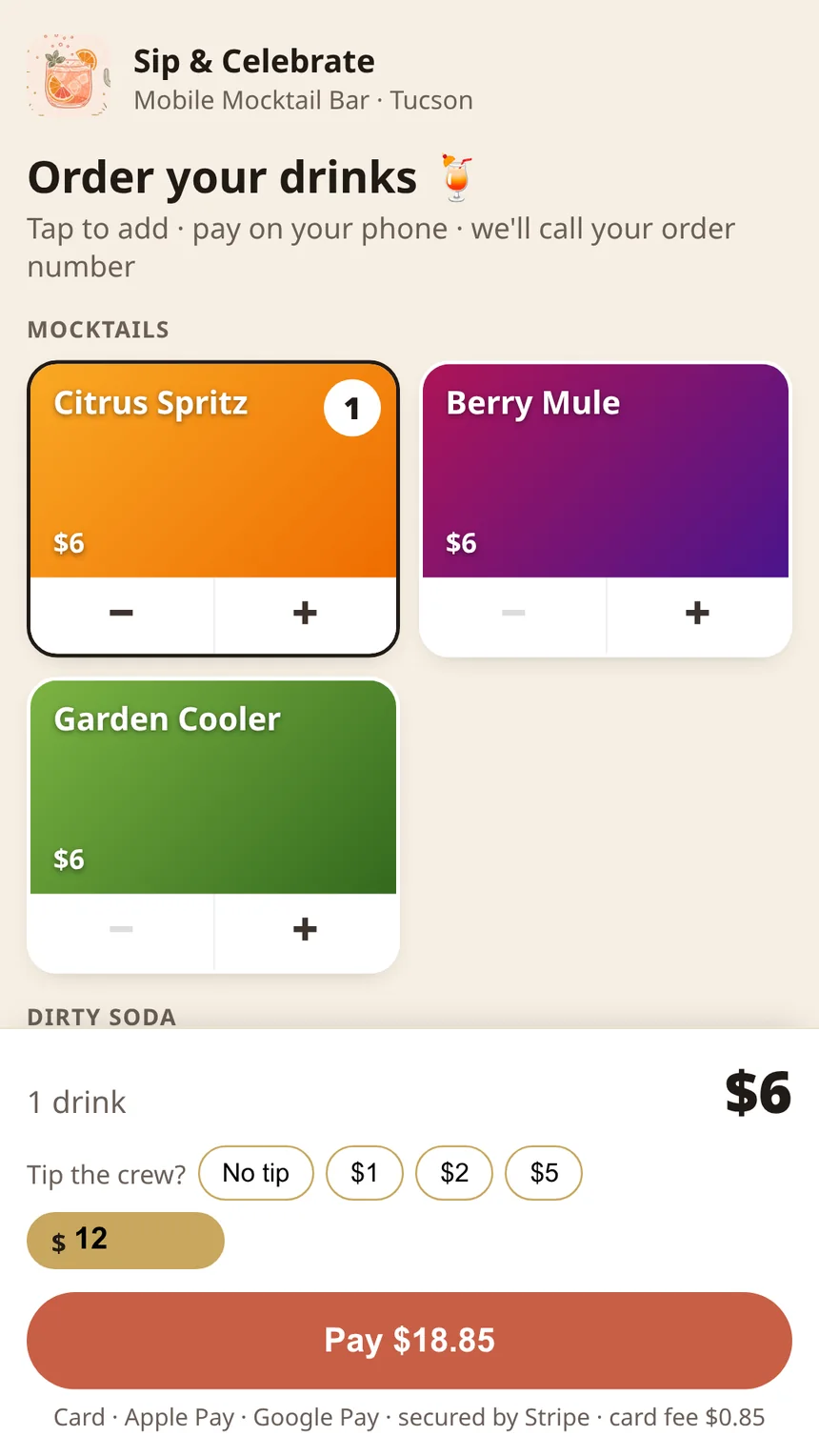
Guest order page on a phone: one drink selected, a 12 dollar tip typed into the custom tip box, Pay button showing 18.85

The guest order page with a typed tip. Sample menu.

3. The bar wanted to cancel orders under 2 minutes

6:55 PM asked
make it so that we could cancel or dismiss orders in the bar app
6:57 PM live

Every order on the bar’s queue got a remove button. Removed orders sit in their own row and can be put back with one tap.
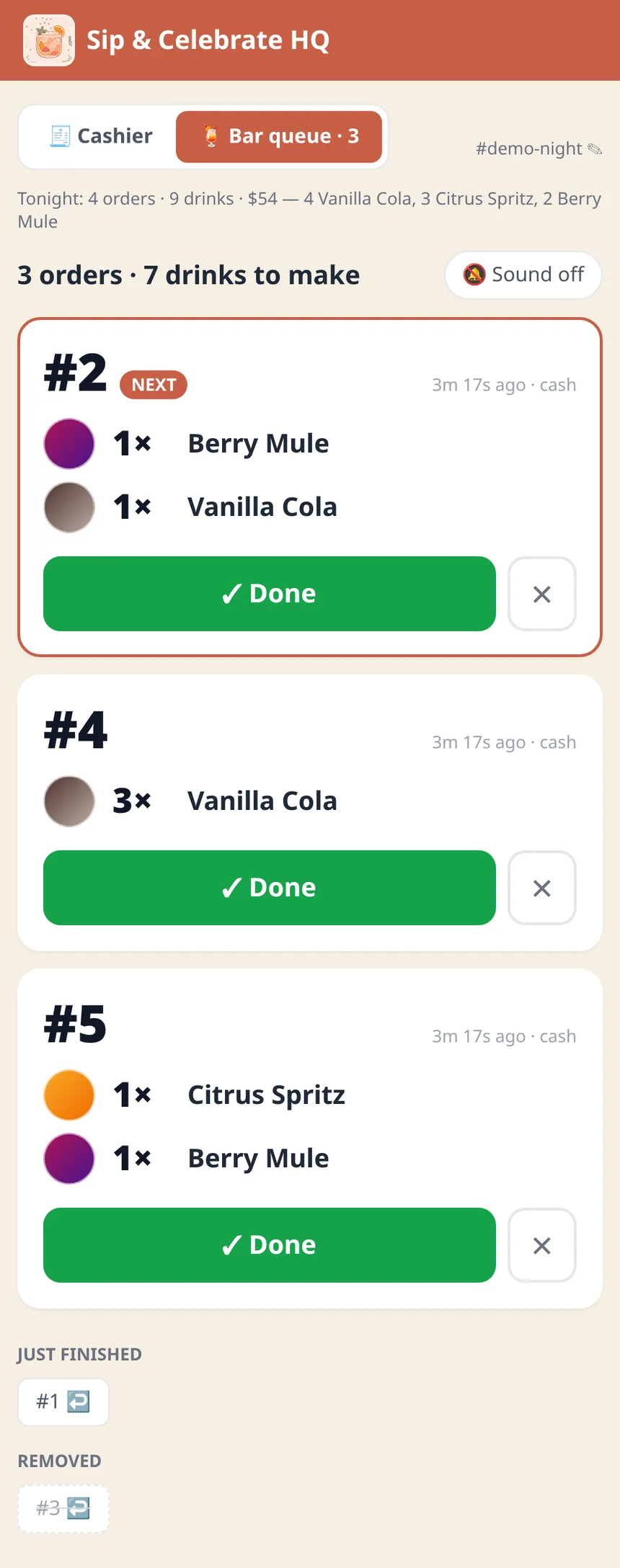
The bar queue on a phone: three orders, each with a Done button and a remove button, then a Just finished row and a Removed row

The bar’s order queue. Sample menu.

How we know the times

Three records agree: the requests as they were typed, the code history, and the server’s own deploy record. “Live” is the time the change was checked on the live page, not the time it was written.

The full test suite passed before each change went out (69 tests for the first two, 70 for the third). Each one restarted the server for about 30 seconds.
What the system does

Website and chat

A website with a chat assistant that answers questions and collects the event details (date, type, guest count, venue, hours), so a lead arrives ready to quote.

Booking a call

A “Check My Date” button books a 15-minute call about the event.

Quote, contract, retainer

Joseph sends a quote from his phone. The client signs the service agreement online and can pay the retainer by card right after signing.

The owner’s app

Leads, payments and the event calendar in one app on Joseph’s phone, with a text alert when a new lead comes in.

Event-night ordering

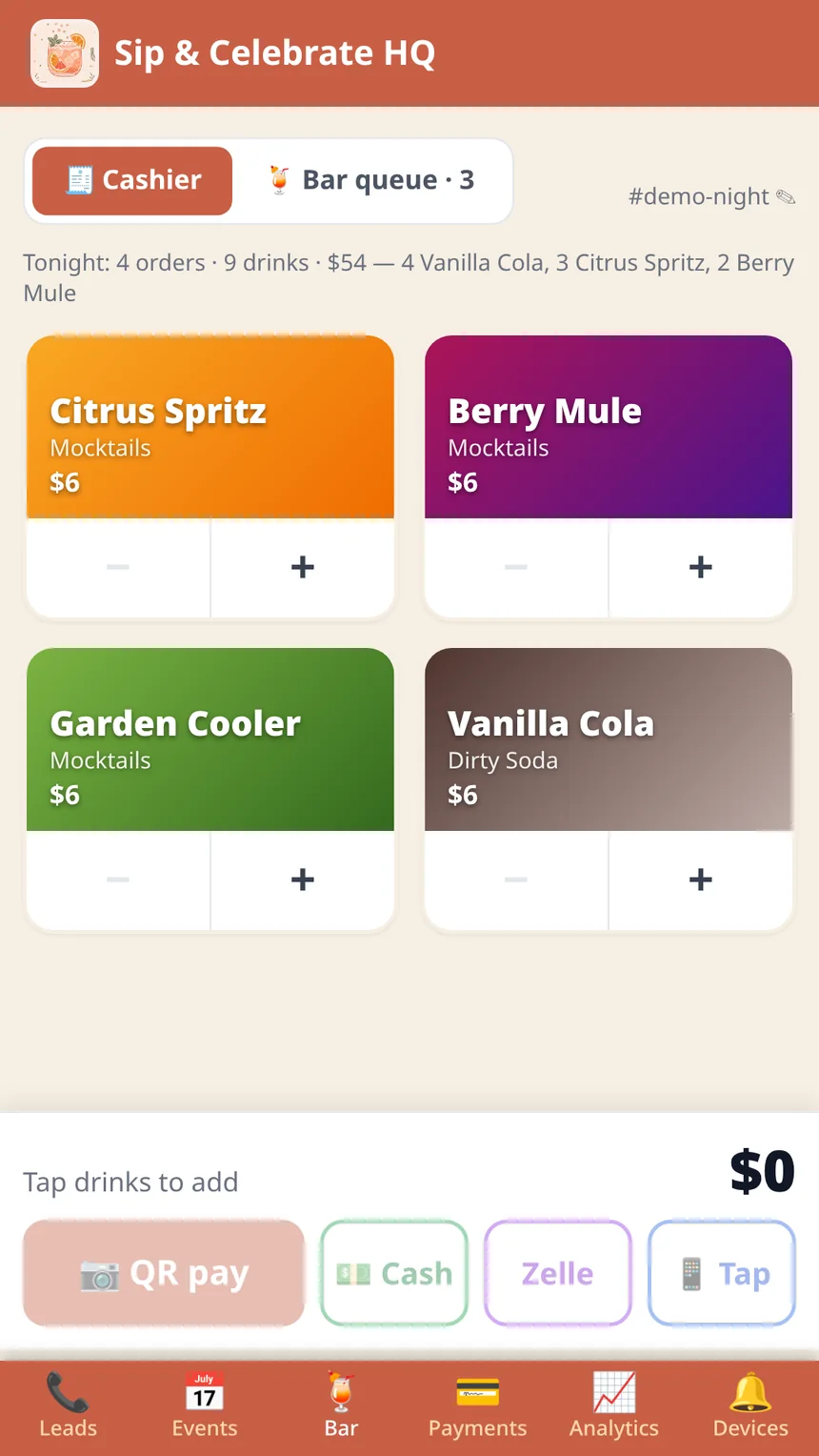
Guests scan a printed QR code, pick drinks and pay on their phone. Staff can also ring up an order and take payment by QR code, cash, Zelle or tap. Every order lands on one queue for the people making drinks.

Card reader

The app can drive a countertop card reader for guests who would rather tap a card at the bar. Added two weeks after the event, after the bar asked for it.

The cashier screen on a phone: four drink tiles with plus and minus buttons, and pay buttons for QR, cash, Zelle and tap

The cashier screen. Sample menu.

How a change ships in two minutes

Justin directs an AI coding agent. It writes the change, runs the tests and checks the live page; a deploy pipeline puts the change on the server in about a minute. Requests go straight to Justin, not into a ticket queue.

Every plan starts with a free working demo of your own site, shown to you before you pay anything. A website on its own starts at $49 a month plus a one-time $249 setup. The plans that add an AI receptionist and more are $249, $597 and from $1,750 a month. Small updates are included in every plan; a priority line with same-day changes comes with the top plan. See what each includes.

Joseph is Justin’s brother-in-law, and he agreed to be named here. The screens on this page show a sample menu; his menu and prices are his own. We make no claim about his sales.

See a working demo of your business first.

Send your company name and city. We'll build a working demo for your business within 48 hours. Free, no card, no commitment. How the free demo works.

Prefer to talk? Call (520) 222-9452. Our AI receptionist answers 24/7 and takes your details for Justin.

Prefer email? [email protected]

Get a Free Demo